Verifying your business on TikTok is one of the smartest moves you can make in 2026. A blue verification badge signals credibility to potential customers and gives your brand authority on the platform.
With over 1.5 billion active users, TikTok has become essential for businesses wanting to build trust and reach audiences.
Let me walk you through exactly how to verify your business on TikTok and why it matters for your marketing efforts.
Why Business Verification Actually Matters
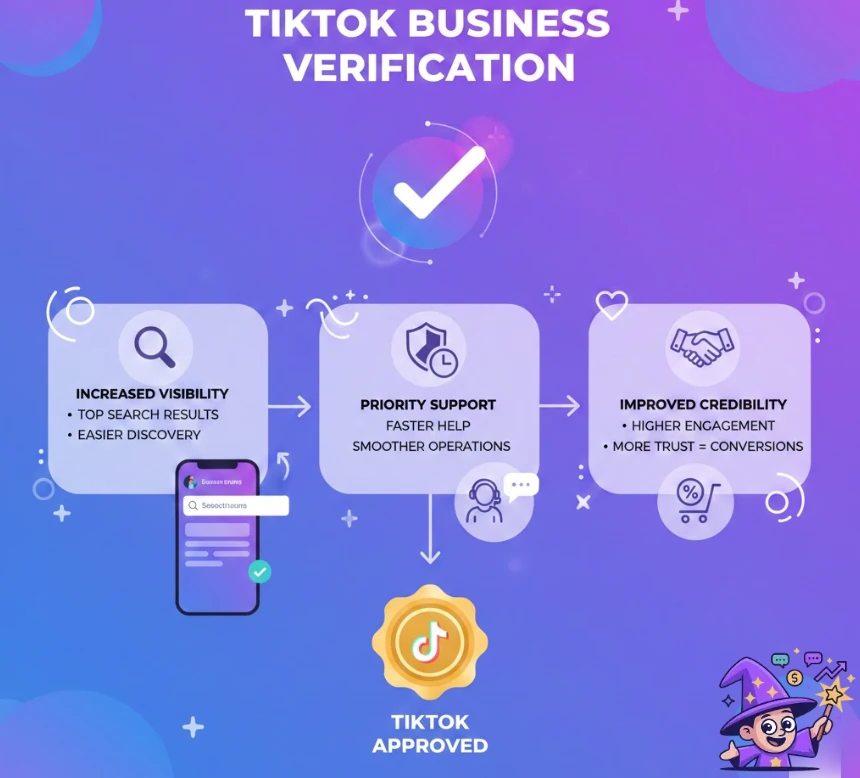
Getting verified on TikTok isn't just about vanity. TikTok verification provides real benefits for your brand. A verified account gets better visibility in search results, making it easier for potential customers to find you.
You'll also get faster support from TikTok's team, which is crucial when you're running business operations on the platform.
Additionally, verified accounts enjoy improved credibility and higher engagement rates. People trust verified businesses more, which means better conversion rates for your shop or services. Think of it like having a stamp of approval from TikTok itself.
Must-Have Requirements for TikTok Business Verification Success
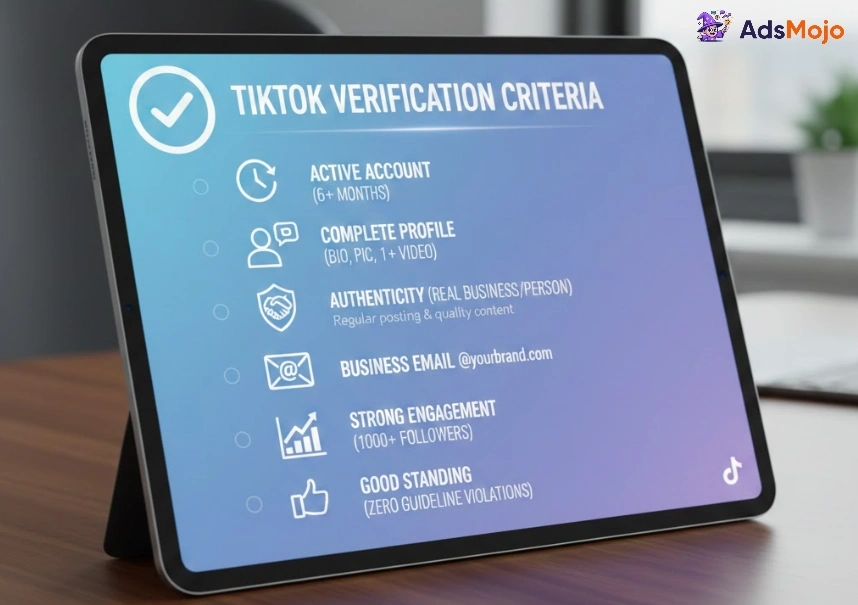
Before you start the verification process, make sure your account hits these criteria:
The account must be active for at least 6 months with regular login activity. TikTok wants to see you're genuinely using the platform, not just sitting idle. Your account needs a complete profile, which means a proper bio, profile picture, and at least one posted video.
Your account must be authentic and represent a real business. If you're registering as a business, you'll need an official email domain (like @yourbrand.com). If that's not possible, prepare extra documentation to prove your identity.
| Verification Requirement | What's Needed |
|---|---|
| Account Activity | Active login within 6 months |
| Profile Completeness | Bio, profile picture, at least one video |
| Authentication | Real business or person representation |
| Business Email | Official domain like @yourbrand.com |
| Community Guidelines | Zero recent violations |
You should have strong audience engagement and maintain good standing with community guidelines. While TikTok doesn't officially require a specific follower count, most verified accounts have at least 1,000 followers. Regular posting and quality content boost your chances significantly.
Simple Step-by-Step Guide to Verify Your Business on TikTok Mobile
- Step 1: Open your TikTok app and tap your profile icon at the bottom right. Then tap Menu (☰) in the top right corner of your profile.
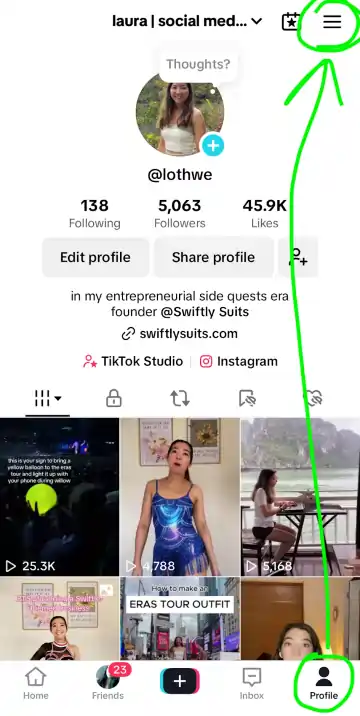
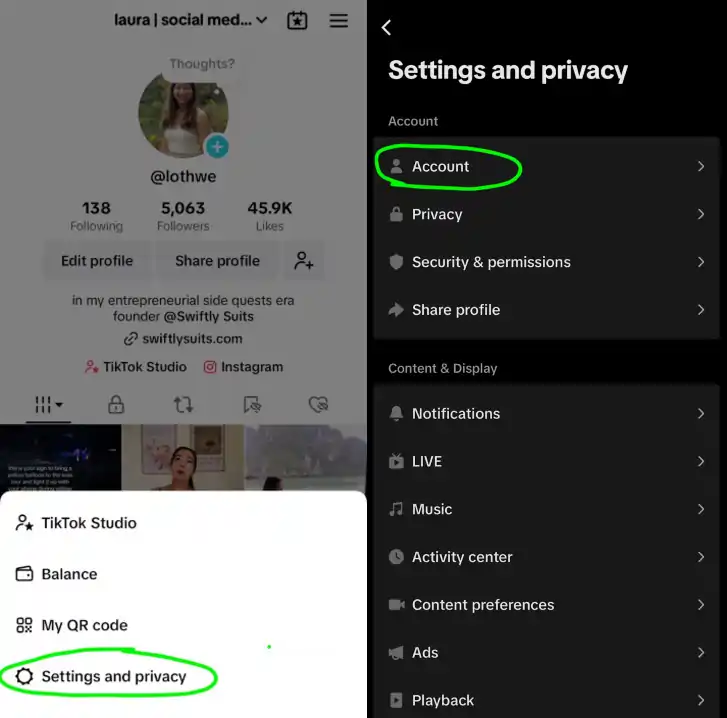
- Step 2: Select Settings and privacy from the menu. Then find and tap Account.
- Step 3: Look for Verification in the list of options and tap it. You'll see your verification options appear.
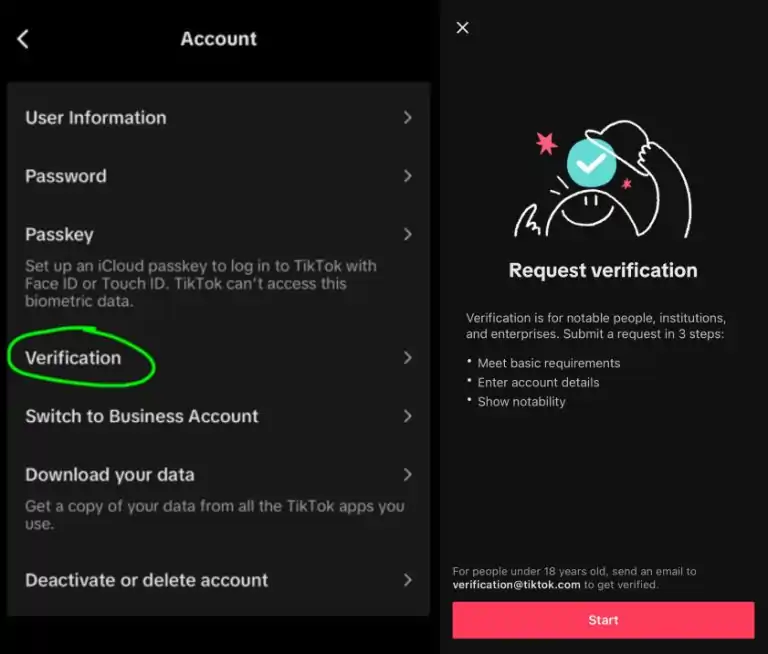
- Step 4: Select your account type. Choose between Personal, Business, or Institution depending on what describes your account best.
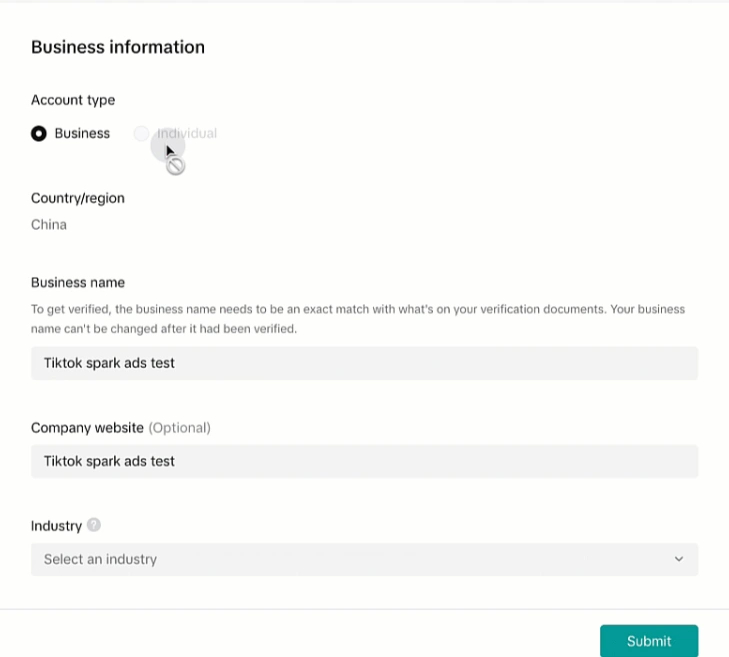
- Step 5: Fill in your full name, select your business category, and upload a valid form of identification. This can be a government-issued ID, passport, or business documents if you're registering a company.
- Step 6: Submit your application. TikTok typically responds within a few days, though sometimes it takes longer.
How to Verify Your Business on TikTok Using a Desktop?
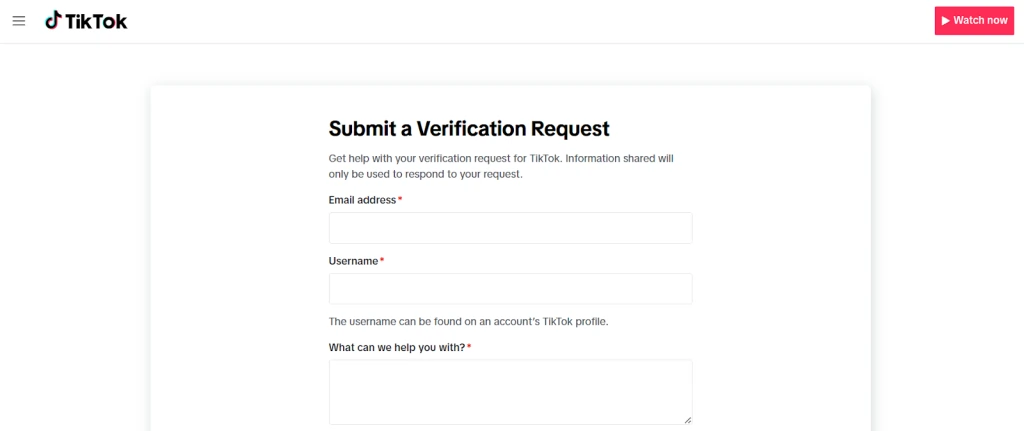
You can also apply through TikTok's official verification request form on desktop. Visit the form directly through your browser and fill in your details.
Upload at least 5 links proving your notability like news articles, social media profiles, or press coverage. This strengthens your application considerably.
After submitting, watch for a confirmation email or in-app notification. The review process can take up to 30 days. If denied, you'll get feedback explaining why. You can reapply 30 days after receiving the rejection.
Essential Documents Needed for TikTok Business Verification
Preparing your documents beforehand speeds up verification significantly.
- For personal accounts, gather a government-issued ID, passport, or driver's license.
- For business accounts, prepare your business license, certificate of incorporation, VAT registration, or commercial register extract.
You'll also need proof of authority showing you're authorized to represent the business. Any official business documentation showing your name and company details helps. Make sure all documents are clear, readable, and current.
Top Reasons TikTok Business Verification Applications Get Rejected
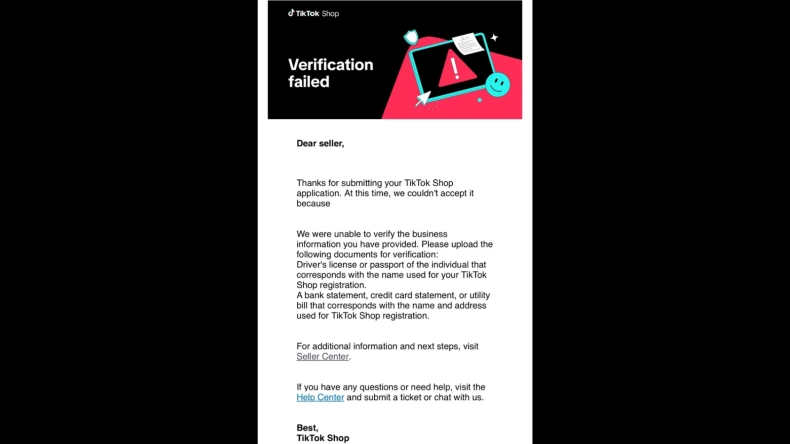
Understanding why applications get declined can save you valuable time. Many businesses make simple mistakes that lead to rejection. Avoid these common pitfalls to improve your chances.
Stay patient if your application is rejected. Use feedback as a guide to fix problems and come back stronger after 30 days.
What to Expect: TikTok Business Verification Timeline and Approval
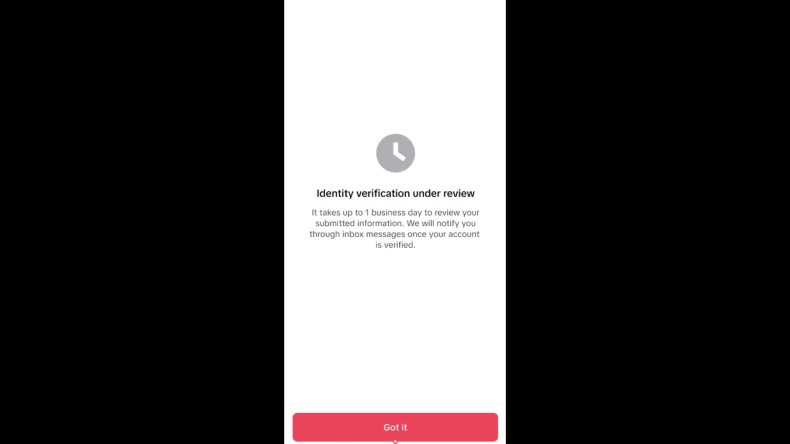
Be realistic about timing. TikTok verification typically takes a few days to several weeks.
During peak periods, it might take longer. Some applications get approved in 48 hours while others need 30 days. Patience is essential here.
Once approved, your blue badge appears immediately next to your username. You'll see it on your profile and across all your videos.
If rejected, don't panic. Review TikTok's feedback, fix the issues, and reapply after 30 days.
Pro Tips for Increasing Approval Chances
Giving your business verification application an edge starts with optimising every detail of your TikTok presence. Here are the best ways to make your profile irresistible to TikTok’s review team.
- Optimize your entire profile before applying. Write a compelling bio that clearly explains your business. Use professional branding elements consistently across your profile and videos.
- Create quality content showing your business in action. Behind-the-scenes footage, product demos, and customer testimonials work brilliantly. Post regularly to show you're an active, committed account.
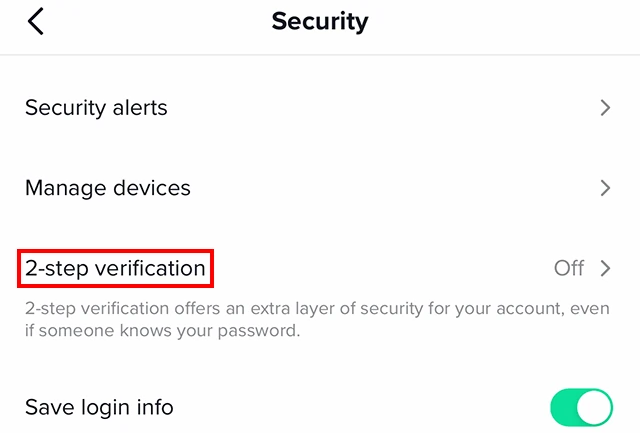
- Enable two-factor authentication on your account. This security measure shows you take your account seriously, and TikTok favours it during verification reviews.
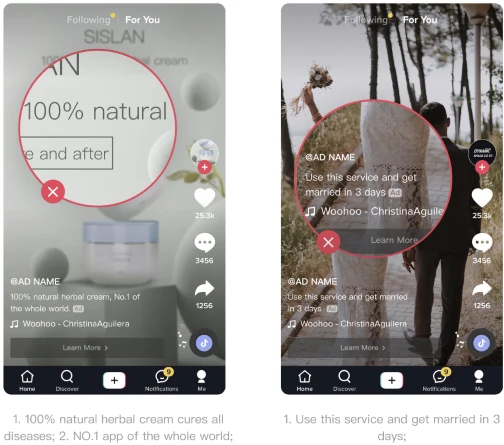
- Follow all community guidelines strictly. No copyrighted music misuse, no controversial content, and no policy violations whatsoever. Your record must be clean.
Following these tips ensures your application stands out positively during review. Remember, building trust with TikTok’s team starts with showing that your business operates honestly and actively on the platform.
Verify TikTok For Business & Get Massive $6,000 Boost
Grow your business instantly! TikTok For Business offers $6,000 ad credits once your account gets verified successfully.
Next Steps Once You’re Verified
Once you've got that blue checkmark, keep standards high. Verified accounts face more scrutiny, so maintain quality and avoid any policy breaches. Continue posting regularly and engaging with your audience genuinely.
Your verified status opens doors to advanced features too. You get access to better analytics, improved support, and opportunities with creator partnerships. Use these advantages to grow your business faster.
Getting your TikTok business verified requires effort, but it's absolutely worth it. Follow these steps carefully, prepare strong documentation, and showcase an authentic business profile.
Your verification badge will become a powerful asset for building trust and driving real results for your brand in 2026 and beyond.