TikTok lead generation ads pull in real customers by dropping form requests straight into users' feeds. Unlike other social platforms, TikTok lead generation campaigns capture form submissions without forcing people off the app.
That means more conversions and way less bouncing around. Building an email list or collecting customer data gets done through TikTok Ads Manager in just a few simple clicks.
We've tested dozens of actual campaigns across different niches and audiences. The ones that convert respect audience time and attention. Short videos, clear CTAs, and instant forms built into TikTok work better than anything else out there today.
What are TikTok Lead Generation Ads?
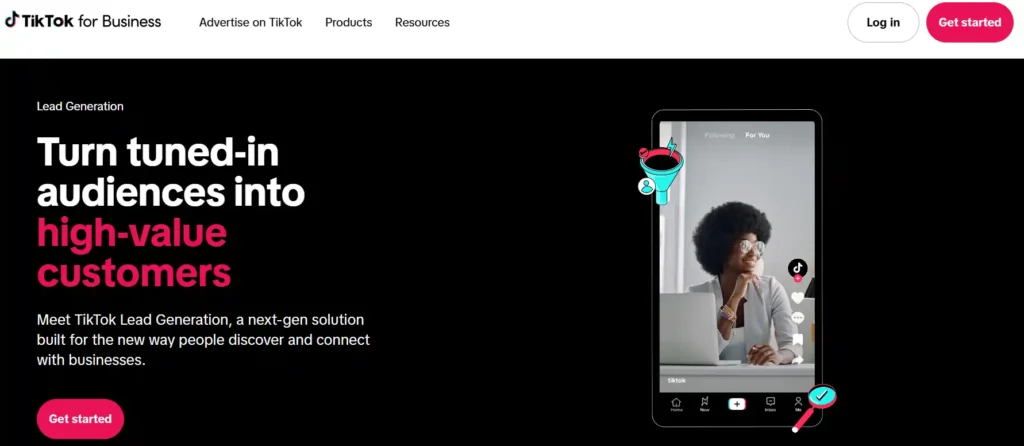
Lead generation advertising on TikTok works by creating in-feed video ads that drive users to fill out forms. You've got two main options here: Instant Forms (native forms built inside TikTok) and Website Forms (forms hosted on your own site).
- Instant Forms load natively within TikTok, so users never leave the app. This typically results in higher conversion rates since there's less friction.
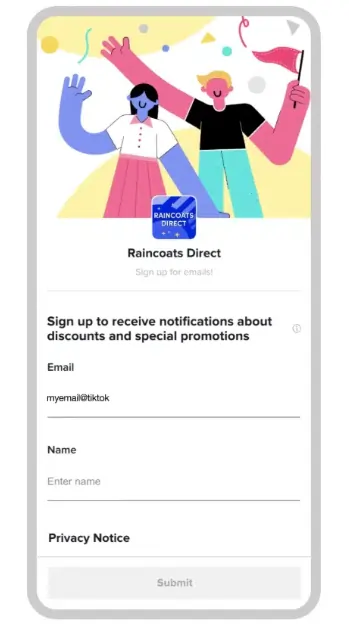
- Website Forms redirect users to your landing page with your form, giving you more control over branding and data collection.
| Lead Form Type | Where It Lives | Best For | Conversion Rate |
|---|---|---|---|
| Instant Forms | Inside TikTok app | Quick lead captures, high volume | Generally higher |
| Website Forms | Your domain | Brand control, detailed forms | Varies by landing page quality |
Setting Up Your TikTok Lead Generation Campaign
Step 1: Access TikTok Ads Manager and Create Account
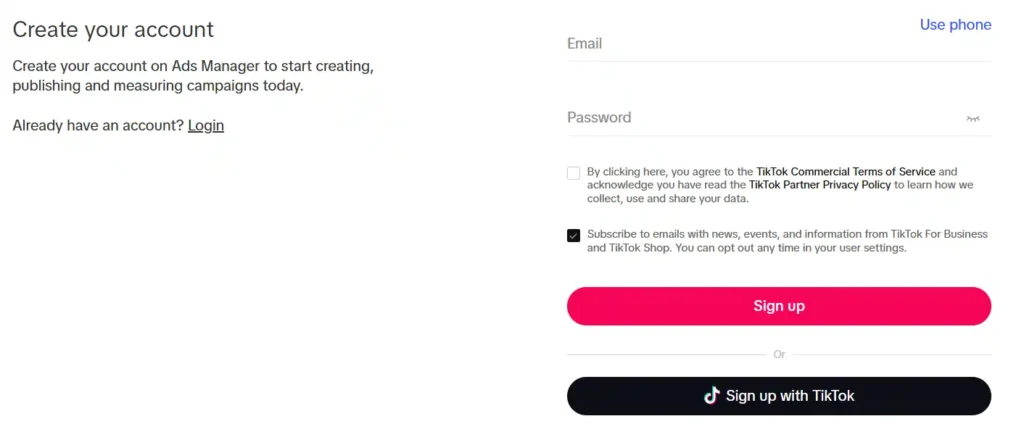
Head to ads.tiktok.com and log in with your credentials. If you don't have a business account yet, you can create one here without needing a personal TikTok profile.
Fill in your business information, add billing details, and upload any required documents like business registration or ID verification.
Once your account is approved, you'll land in TikTok Ads Manager. This is your command centre for all lead generation campaigns, performance tracking, and audience targeting. Make sure your account is verified properly before spending money.
Step 2: Launch Your Campaign and Select Lead Generation Objective
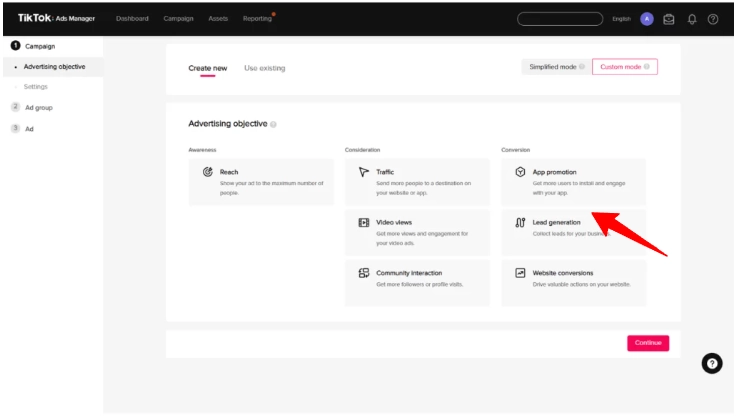
Click the Campaign tab, then hit Create. You'll be prompted to choose between Simplified Mode and Custom Mode. Go with Custom Mode for maximum control over targeting options, bidding strategies, and optimization settings.
Next, choose your advertising objective. Look for Lead Generation under the Traffic category. This specific objective is designed for capturing form submissions, calls, and user data directly on TikTok or your website.
Step 3: Set Campaign Name and Budget
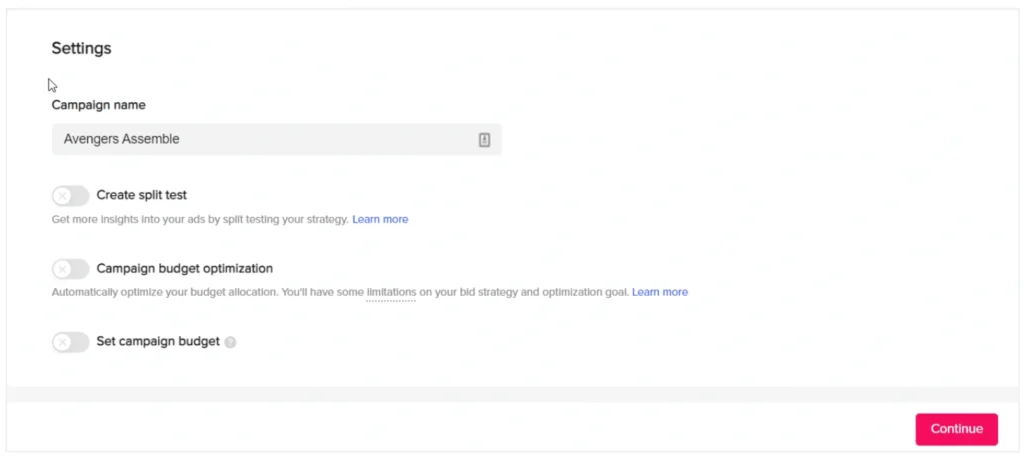
Give your campaign a descriptive name up to 512 characters. Something like “Q4 Email Leads Campaign” works better than generic names because it helps you stay organized.
Now set your budget. Choose between:
Pro tip: TikTok recommends setting your daily ad group budget to at least 10 times your expected cost per lead (CPL). So if your target CPL is $3, your minimum daily budget should be $30. This prevents underspending and keeps your campaign out of the learning phase too long.
Step 4: Create Ad Groups with Precise Targeting
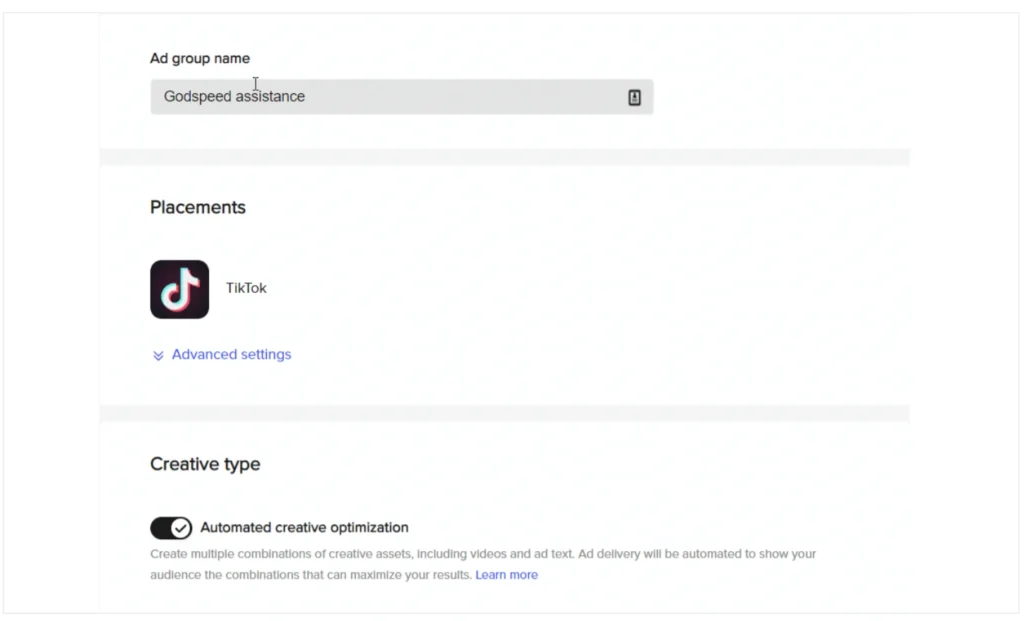
Each lead generation campaign can have up to 999 ad groups. Create your first one by naming it something specific like “US Leads 25-40 Female.”
Under Optimization Location, choose Instant Form if you want leads captured natively, or Website if you're sending traffic to your site.
For placements, select TikTok to ensure ads appear in-feed on users For You pages. Turn on Automated Creative Optimization to let TikTok automatically show your best performing creative variations.
Step 5: Target Your Ideal Audience
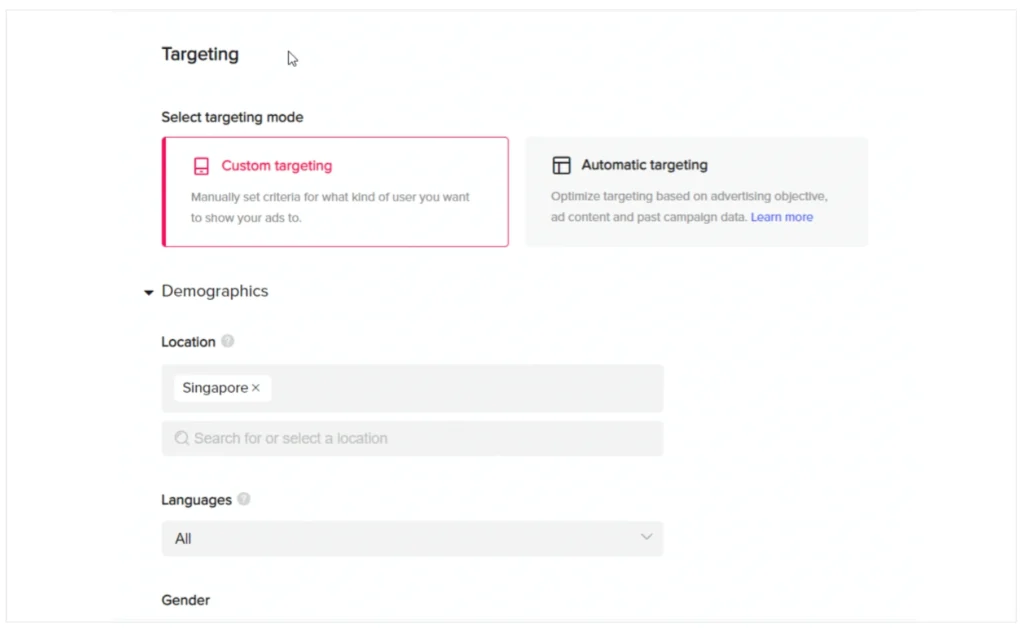
This is where you define who sees your lead ads. Select Custom Targeting and refine your audience by:
Start broad rather than hyper-specific. TikTok's algorithm performs better with room to explore, so don't lock yourself into one narrow segment. You can always refine later based on performance data.
Step 6: Set Bidding Strategy and Daily Budget
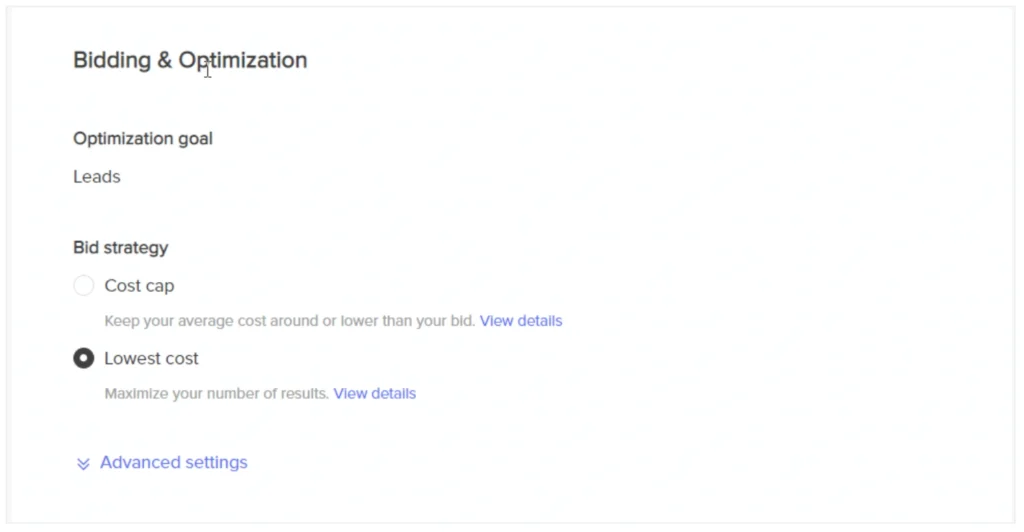
Choose your bidding approach. TikTok offers Cost Cap (maximum price you'll pay per action) or Lowest Cost (TikTok optimizes for cheapest leads).
Set your ad group budget and scheduling. This allows you to control spending for each audience segment independently. You can also schedule when ads run—mornings, evenings, weekends, etc.
Step 7: Create Your Lead Ad and Instant Form
Upload your lead generation video or choose from TikTok's templates. Keep it vertical, snappy, and authentic. Real people perform far better than polished corporate footage. Add subtitles since most users watch without sound.
Your video copy should avoid hard sells. Instead, frame the value proposition first. “Struggling with project management?” beats “Sign up now.”
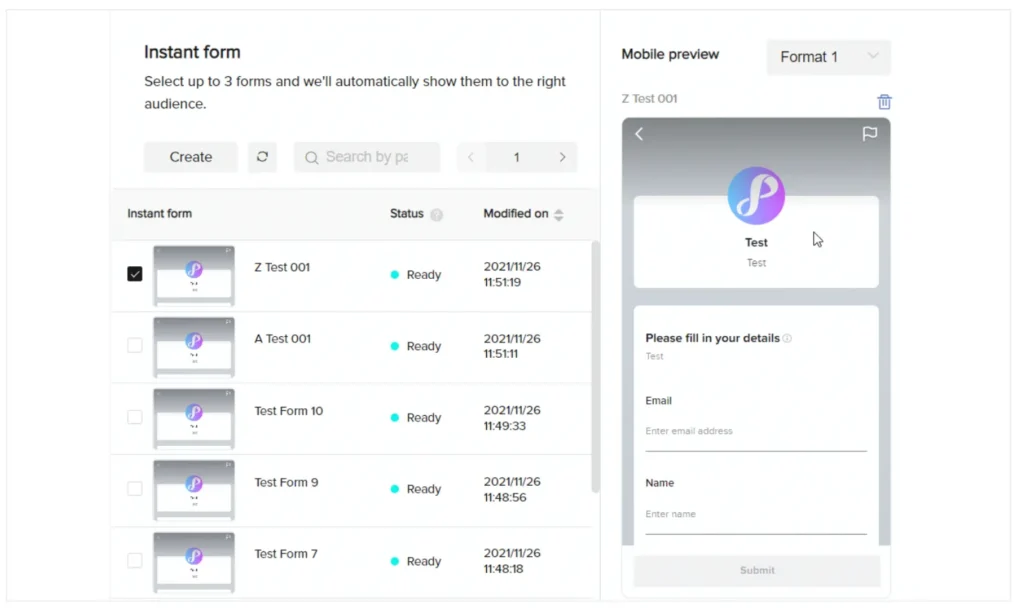
For your Instant Form, keep it short. Ask only for essential information like email, name, and phone number. Every additional field drops conversion rates. Make sure field labels are clear and the form looks professional on mobile devices.
Step 8: Add Call-to-Action (CTA) and Review
Select your CTA button text. Popular options include “Sign Up,” “Get Offer,” “Learn More,” or “Book Now.” TikTok offers Dynamic CTA (changes per user) or Standard CTA (fixed text).
Choose a thumbnail image for your ad. This appears before the video plays. Select something eye-catching but relevant. Preview everything once more, then click Submit for TikTok's ad review process.
Key Optimization Tactics for Better Lead Quality
Enable TikTok Pixel and Conversion Tracking
TikTok Pixel is absolutely essential when using Website Forms. This free HTML code snippet tracks user actions across your website and trains TikTok's algorithm to reach users most likely to convert.
Configure your Pixel to fire on specific conversion events like “Submit Form” or “Lead.” Proper Pixel setup means TikTok can optimise delivery based on genuine results rather than mere clicks.
Test your Pixel installation thoroughly to ensure it fires only after successful form submissions.
Creative Best Practices That Drive Conversions
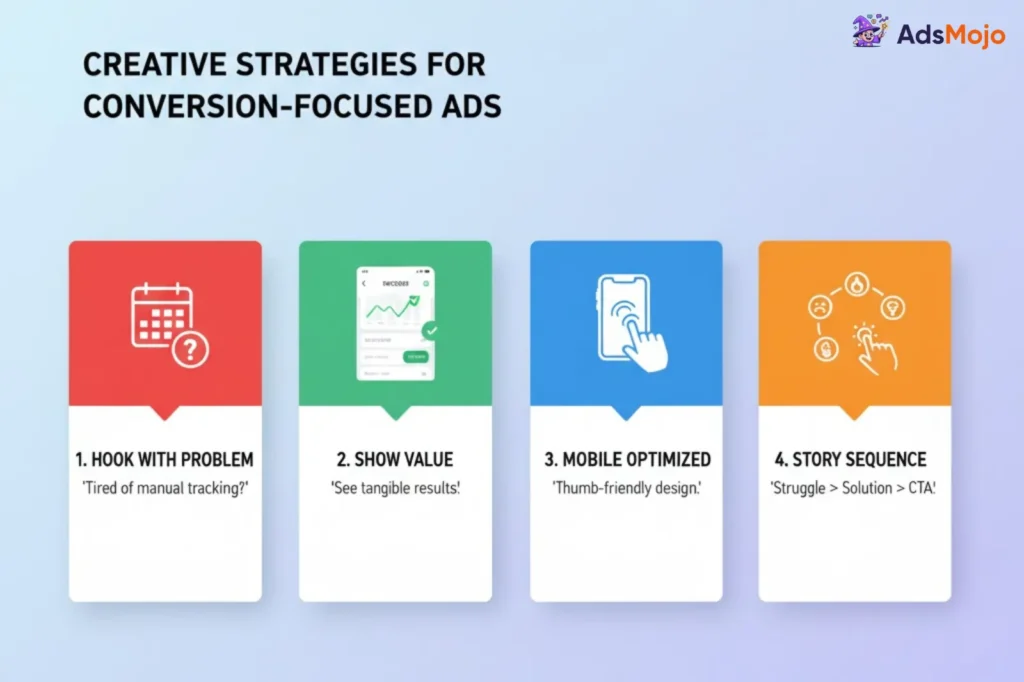
Strong creative accounts for up to 47% of campaign performance lift. Here's how to structure winning lead gen ads:
- Frame Problems Before Solutions
- Don't open with “Sign up now.” Instead, show a relatable pain point your audience experiences. For example, “Tired of manual tracking?” before introducing your project management tool. Users engage more when they feel understood.
- Show Actual Benefits
- Make the value tangible. Show a sample dashboard, demo interface, or success confirmation. Visually demonstrate what users receive after signing up rather than making empty promises.
- Optimise for Mobile Scrolling
- Use vertical framing exclusively. Include hand gestures pointing toward your CTA button, subtle transitions, or visual arrows. Since over 90% of TikTok users access via mobile, everything must prioritise thumb-friendly engagement.
- Use Storytelling Sequences
- Build narrative arcs across multiple video sections. Part One introduces struggle, Part Two amplifies consequences, Part Three presents your solution, and Part Four delivers the CTA. This progressive storytelling builds curiosity and increases conversion rates significantly.

🚀 TikTok For Business Exclusive: $6,000 Free Ad Boost
Boost your brand fast! Claim $6,000 TikTok For Business ad credits to launch viral lead generation campaigns that convert instantly.
Monitoring Performance and Next Steps
TikTok lead generation ads work best when you keep things simple and real. Once your campaign hits around 50 to 100 leads, you’ll start seeing patterns that show what clicks with people.
Use that data to fine tune your videos and forms. Keep testing new hooks and audience sets weekly to stay fresh. The more consistent your testing, the better your CPL gets over time.
So what’s stopping you from turning TikTok traffic into real leads that fill your inbox every single day?