
Shopify TikTok Integration makes selling where your customers scroll painless. Connect your store once, sync your product catalog automatically, and push items to TikTok Shop with real-time price and inventory updates.
Install the TikTok Pixel to track add-to-carts and purchases, then optimize Spark Ads without leaving Shopify. Create shoppable videos and LIVE promotions, fulfill orders from the same dashboard, and keep everything in sync.
This guide walks you through account linking, product sync, pixel setup, and launching high-converting campaigns in under an hour.
Understanding Shopify TikTok Integration Basics
TikTok Shop integration with Shopify allows you to manage your entire store, inventory, and advertising from one dashboard. Rather than jumping between platforms, you can sync product catalogues, track pixels, create ads, and process orders all within Shopify's admin panel.
Think of it like having your storefront available in TikTok's social feed. When users see your ads, they can purchase without leaving the app.
Your product data synchronisation keeps everything up-to-date automatically. Changes to prices, stock levels, or descriptions on Shopify instantly reflect on TikTok, saving you hours of manual work each week.
The integration also enables advanced tracking through TikTok Pixel for Shopify, which monitors user behaviour and helps you retarget high-intent audiences.
This data connection is what separates successful social commerce operators from average advertisers.
Setting Up Your Shopify TikTok Account Connection
Getting started requires a few key prerequisites. First, you need an active Shopify store with products listed. Second, you'll need a TikTok For Business account. If you don't have one, TikTok prompts you to create it during setup.
Lastly, ensure your Shopify admin access is current because you'll modify backend settings.
1. Installation Process
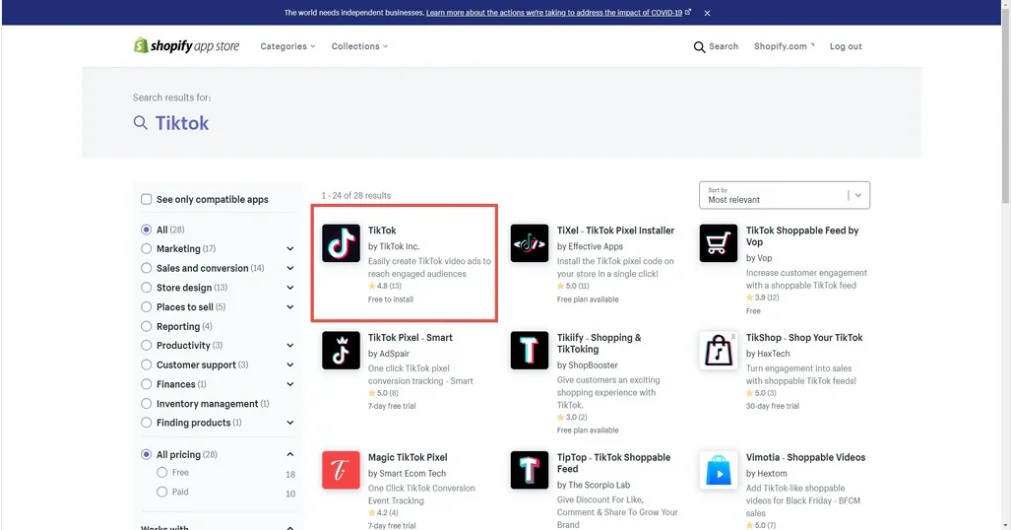
Log into your Shopify admin dashboard and navigate to the Apps section in the left sidebar. Search for “TikTok” in the Shopify App Store. The official TikTok app should appear near the top results.
Click “Add app” to start the installation. Within seconds, Shopify completes the process and redirects you to setup.
On the setup page, click “Connect TikTok account” and authorise the app to access your business information.
You'll select which TikTok Shop account to link. If you're new to TikTok Shop, the system creates one for you.
2. Data Sharing Configuration
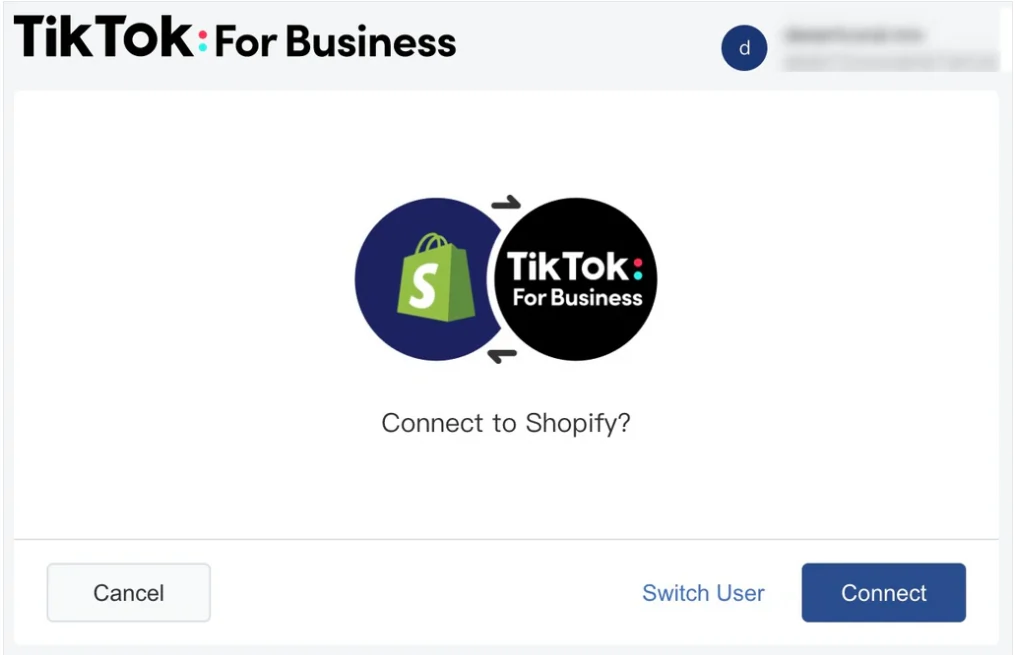
Once connected, you must select your data-sharing level. TikTok offers three options:
For serious advertisers, Enhanced or Maximum settings unlock the real power. Better data means better targeting, smarter ad delivery, and higher ROAS on TikTok ads.
Syncing Your Product Catalog to TikTok
Here's where product catalogue synchronisation becomes your efficiency tool. After account connection, head to “Manage products” within your TikTok app settings.
Shopify displays all your store products alongside their TikTok Shop status. You can sync products individually or in bulk. Select which collections or specific items to include.
Any inventory changes made in Shopify automatically push to TikTok, keeping stock counts accurate across platforms.
✅ Read Official Guide: Shopify Product Catalog Syncing to TikTok
Product details like titles, descriptions, images, and pricing must meet TikTok's content guidelines. Ensure images are clear, well-lit, and showcase your products properly. TikTok recommends vertical formats that work well on mobile screens.
| Sync Method | Time Required | Best For |
|---|---|---|
| Individual Product Sync | 2-5 minutes | Small product updates |
| Bulk Collection Sync | 10-30 minutes | Entire store setup |
| Automatic Updates | Real-time | Ongoing inventory management |
Once synced, your products appear in your TikTok Shop tab. Users can browse and purchase directly. You can also tag products in organic videos, linking back to your Shopify store for additional traffic.
Installing and Optimizing TikTok Pixel
TikTok Pixel installation is essential for measuring campaign performance. This tracking code monitors user actions on your store, enabling retargeting and audience building.
Partner Integration Method (Easiest)
During account setup, Shopify automatically creates a TikTok Pixel for your store. This is the fastest approach for most advertisers. The app handles technical setup without requiring backend code modifications.
Manual Setup Method (Advanced Control)
If you need granular control, you can manually add the pixel. Create your pixel in TikTok Ads Manager, select “Manual Setup,” and add the base code to your theme.liquid file.
Enable auto-event setup to track standard interactions like page views, add-to-cart events, checkout initiation, and purchase completion.
👉 Official Assistance for TikTok Pixel
The pixel requires verification through TikTok Pixel Helper to ensure it's firing correctly. Test by making a purchase on your store and confirming the conversion registers in your Ads Manager.
Creating and Managing TikTok Ads from Shopify
With accounts connected and pixel installed, you're ready to run ads. Access your TikTok Ads Manager directly through the Shopify app.
Campaign Setup Essentials
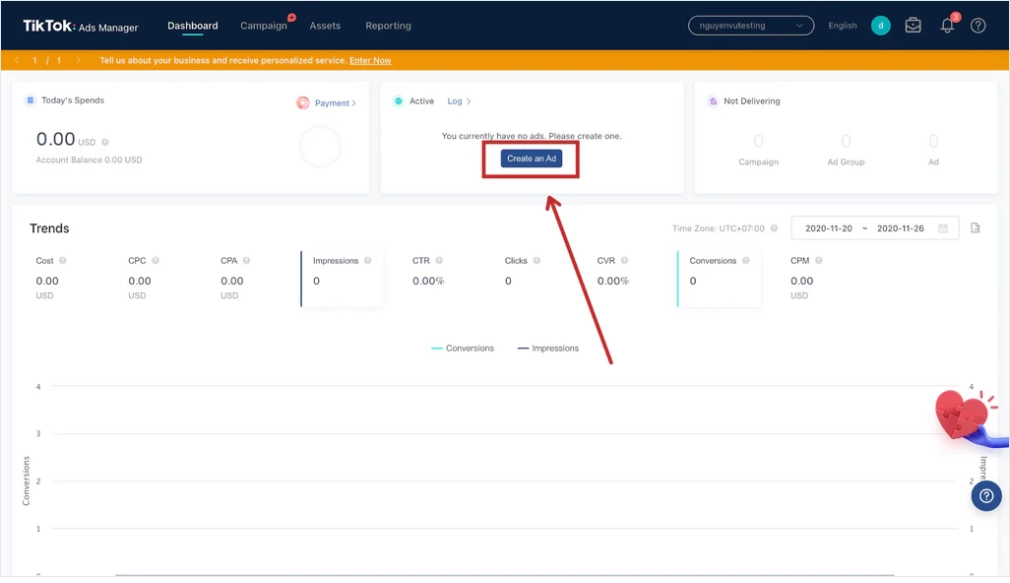
Choose your campaign objective based on your goals. Most e-commerce advertisers select “Conversions” to drive purchases directly.
Other options include “Traffic” for store visits and “App Installs” if you have a mobile app.
Audience Targeting Options
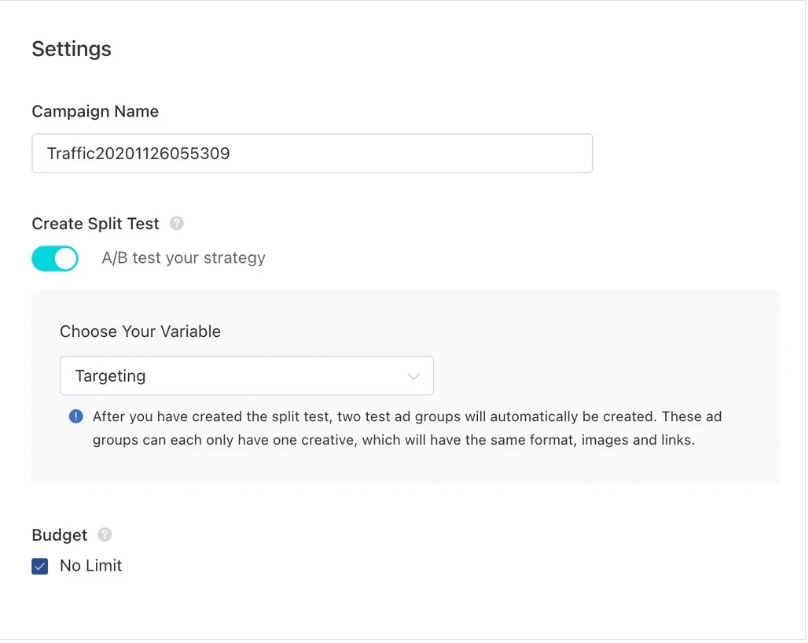
TikTok's targeting capabilities work best with strong pixel data. Target by interests, behaviours, and demographics.
Create lookalike audiences from your existing customers to find similar buyers. Build custom audiences by uploading your email list or using first-party cookies for retargeting past visitors.
Ad Creative Best Practices
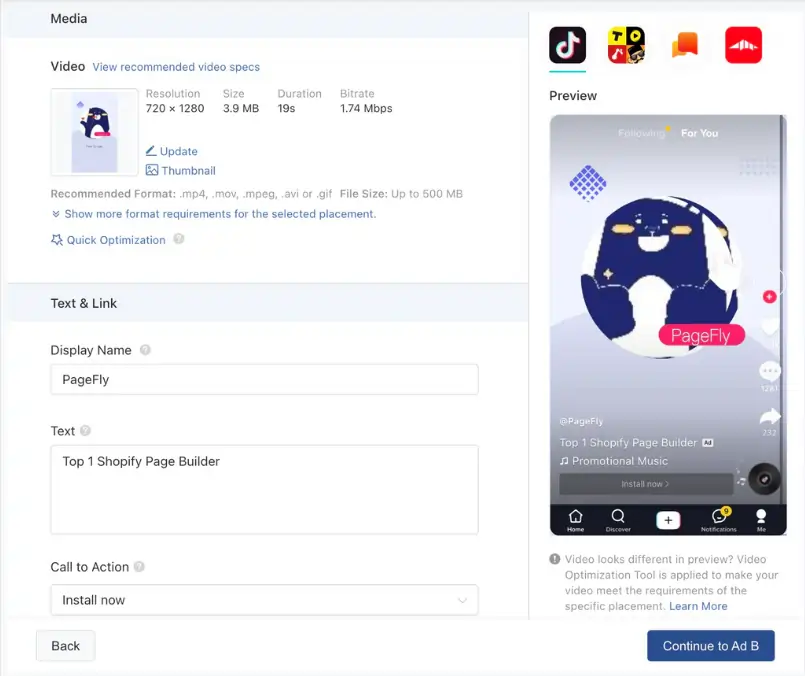
Keep videos short and punchy. TikTok advertisers see best results with 7-15 second videos in vertical format. Start with a hook that grabs attention in the first second.
Use trending sounds and effects that resonate with the platform's culture. Avoid overly polished corporate vibes; authenticity performs better.
Test multiple variations of your ads. A/B test different hooks, calls-to-action, music, and video lengths. This data informs future creative decisions and improves efficiency.

Supercharge Shopify Ads with TikTok For Business
Claim your exclusive TikTok For Business ad credit now! Perfect for Shopify sellers ready to explode online sales.
Managing Orders and Inventory in Real Time
Order management integration keeps everything synchronised. When someone purchases through your TikTok Shop, that order appears in your Shopify admin. You process, pack, and ship from Shopify as normal.
Inventory levels sync bidirectionally. Lower stock in Shopify and it updates immediately on TikTok, preventing overselling.
Upload tracking numbers once in Shopify and they're available to customers on both platforms.
Maximising Your TikTok Advertising Performance
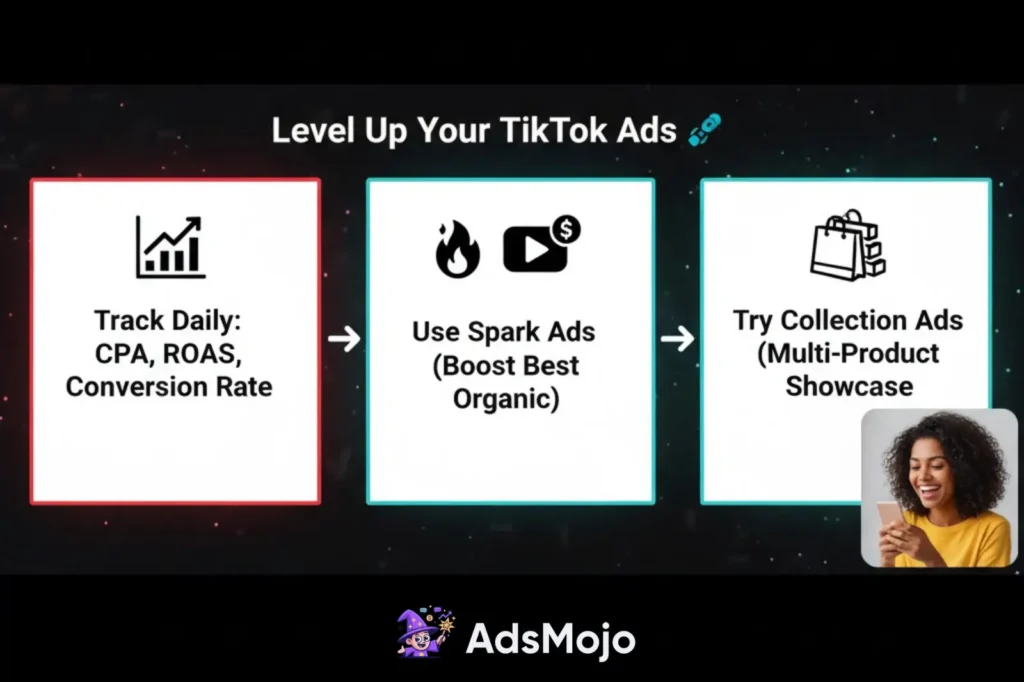
Smart product advertising on TikTok requires ongoing optimisation. Monitor campaign metrics daily. Focus on metrics that matter for your business. Cost per acquisition, return on ad spend, and conversion rate tell you whether your ads work.
Use TikTok's Spark Ads feature to boost your top-performing organic content. If a video naturally performs well with your audience, turn it into a paid ad. This approach feels more authentic and often outperforms traditional ad creative.
Try Collection Ads to showcase multiple products at once. This format works for product launches or seasonal promotions where you want to highlight different items together.
Key Takeaways for Advertisers
Ready to sell on TikTok now. Stores using TikTok Shop see around 30 percent higher engagement than regular social ads.
You've learned how to connect accounts, sync inventory, and run campaigns that work. The next step is testing your first ads with real products.
Start with 50 to 100 dollars and watch what happens. Track your results for 2 to 3 weeks. Success on TikTok comes from action and learning what works. Will you take your first step today?